

| Mənşə | Çin |
| İdxal edilibmi | No |
| Sifariş nömrəsi | Ctp335 |
| Emal və fərdiləşdirmə | No |
| Məhsul nömrəsi | Ctp335 |
| Növ | Avtomobil nasazlıq detektoru |
| Aşkaretmə sistemi | Chevrolet/Buick/Cadillac/Opel/Holt diaqnostika alətləri üçün uyğundur |
| Enerji təchizatı gərginliyi | 12 v |
| İşləmə temperaturu | 0-50 |
| Brend | Vxdiag |
| Model | Vcx-fd vcx fd gm ağıllı avtomobil diaqnostikası |
| Əsas aşağı axın platformaları | Ebay |
| Əsas aşağı axın platformaları | Amazon |
| Əsas aşağı axın platformaları | Wish |
| Əsas aşağı axın platformaları | Aliexpress |
| Əsas aşağı axın platformaları | Müstəqil stansiya |
| Əsas aşağı axın platformaları | Lazada |
| Əsas aşağı axın platformaları | Digər |
| Əsas satış sahəsi | Afrika |
| Əsas satış sahəsi | Avropa |
| Əsas satış sahəsi | Cənubi Amerika |
| Əsas satış sahəsi | Cənub-Şərqi Asiya |
| Əsas satış sahəsi | Şimali Amerika |
| Əsas satış sahəsi | Şimal-Şərqi Asiya |
| Əsas satış sahəsi | Yaxın Şərq |
| Əsas satış sahəsi | Digər |
| Səlahiyyətli özəl brend var | No |
| Sərhədlərarası ixrac üçün xüsusi mal tədarükü təmin edilibmi? | Bəli |
| Çəki | 0.5KG |
| Satış sahəsi | Xarici ingilis versiyası |
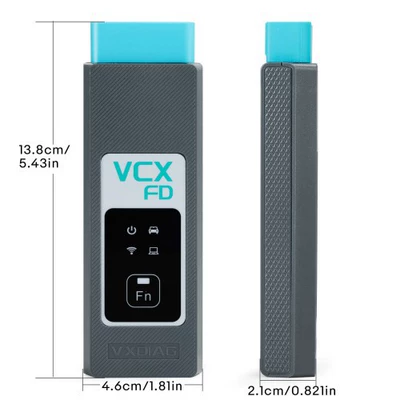
| Həcm | 18cm*13.4cm*5cm |
产品图片展示

产品英文介绍(Product introduction in English)
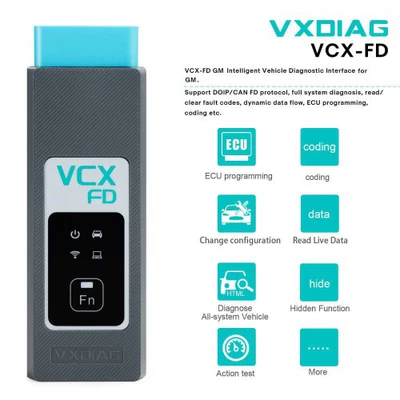
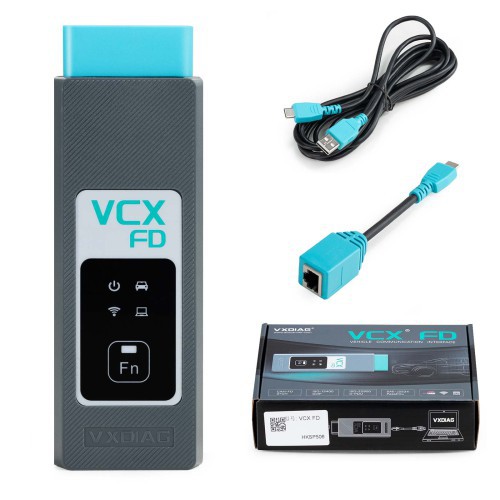
VXDIAG VCX-FD VCX FD GM Intelligent Vehicle Diagnostic Interface for GM Chevrolet/ Buick/ Cadillac/ Opel/ Holden Diagnostic Tool
ID NO.: CTP335
Product Description
- Supports GM Tech2Win and GDS2, can replace GM original tool MDI/ Tech2.
- Supports GM vehicle from year 2000 to 2024.
- Supports GM online programming (ECU Programming, ECU performance upgrade) with an online account.
VXDIAG VCX-FD GM Intelligent Vehicle Diagnostic Interface for GM for Chevrolet, Buick, Cadillac, Opel, Holden Diagnostic Tool
VCX-FD intelligent vehicle diagnostic interface represents the next generation of diagnostic technology. The product adopts a newly upgraded dual-core high-speed processor, fully supports multi-channel CAN-FD/DoIP and traditional diagnostic protocols, and is compatible with more original diagnostic software. VCX-FD also supports local and super remote dual-mode diagnostics, providing users with an excellent diagnostic experience.
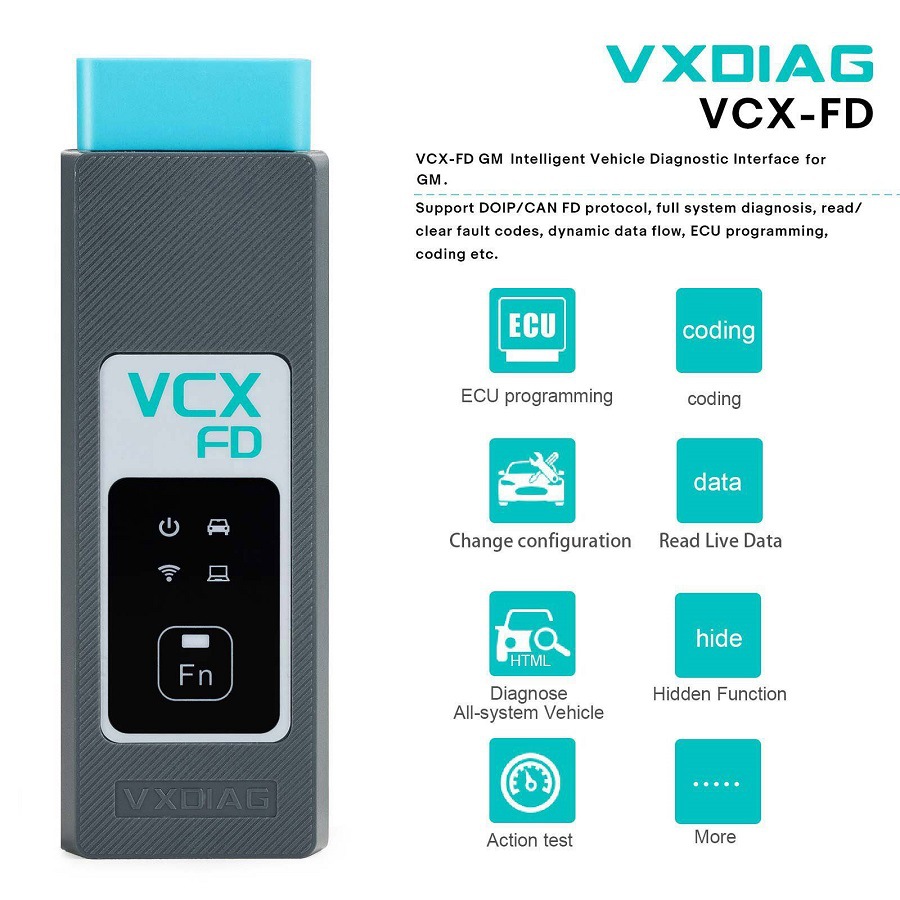
Product Functions:
Supported original vehicle diagnostic functions:
GM(Chevrolet, Buick, Cadillac, Opel, Holden): GM GDS2 & Tech2Win & RDS
How to Install VXDIAG GM GDS2 and Tech2win?
1. Install Tech2win using the AutoInstall.exe file
2. Install GDS2 using the AutoInstall.exe file
3. Install VX Manager (install passthru and GDS2/T2W drivers)
4. Run software (run GDS2 from patch, run Tech2win on desktop)
* If you are running Windows 10 you MUST disable driver signing enforcement. For detail installation instruction, check PDF above.
VXDIAG VCX-FD GM Highlights:
1. Supports GM Tech2Win and GDS2, can replace GM original tool MDI/ Tech2.
2. Compatible with applications that diagnose engines, transmissions, ABS, instrument panels and more
3. Mixed fleet capabilities with broad protocol support
4. Quick access to vehicle data for maintenance or management reports
5. Quickly attaches to vehicle's diagnostic connector
6. Supports GM vehicle from year 2000 to 2024
7. Supports GM online programming (ECU Programming, ECU performance upgrade) with an online account
Product Features:
Dual cores work together to achieve stronger communication performance
The 550MHz ARM protocol processor supports CAN-FD and all traditional vehicle bus protocols.
560MHz MIPS network processor supports DoIP Super Diagnostic Gateway.
Dual-core processor communicates via 100M Ethernet, high bandwidth and low latency
The diagnostic communication speed is several times higher than that of the previous generation product.
Dual operating systems, the software runs more stably
The RTOS real-time operating system ensures multi-task and high-concurrency communication of the vehicle bus protocol.
The OpenWrt network operating system flexibly connects multiple network interfaces and vehicles.
Support a more complete vehicle bus protocol
Integrated OBD smart protocol multiplexer chip, all pins can intelligently switch any protocol.
Supports 3-channel CAN-FD multi-channel concurrent communication, supporting up to 5M Bps high-speed communication.
Supports ISO-13400 standard dual-channel DoIP interface Option 1 and Option 2.
Flexible and easy-to-use connection methods
The host communication interface supports multiple connections such as USB / RJ45 / WLAN, which is flexible and easy to use.
Built-in wireless routing mode, the diagnostic computer can be directly connected to the device wirelessly.
Supports wireless workstation mode, the device can be connected to a wireless LAN, and any computer can connect to the device.
Supports mapping vehicle DoIP Ethernet to WLAN for wireless DoIP diagnostics.
Brand new appearance design
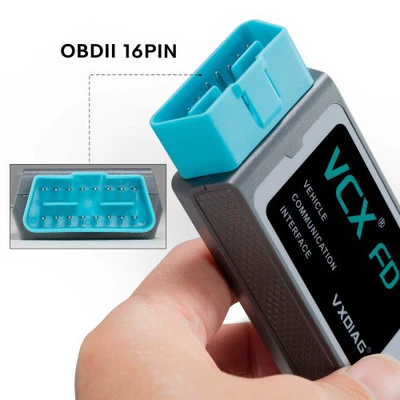
It adopts an all-in-one design with integrated OBD-II interface, making it easy to plug and play.
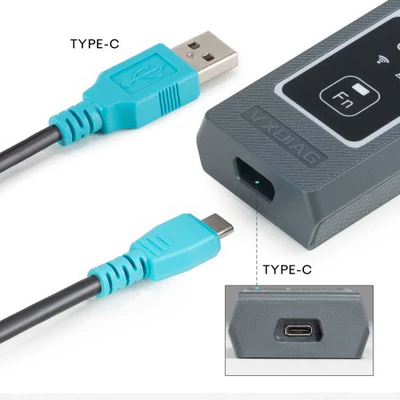
The reinforced Type-C interface prevents shaking and falling off, making the connection more reliable.
More comprehensive original vehicle diagnostics
VCX-FD is currently compatible with 15 original factory diagnostic model brands.
After the hardware update, it fully supports new models and new original factory diagnostic software based on CAN-FD and DoIP.
A variety of advanced diagnostics and programming functions reach factory level, even faster than original devices.
Supports one-click installation, uninstallation and upgrade of original factory supported drivers, easy to use.
Updated international standard API interface
SAE-J2534-1/2 PassThru V04.04 & V05.00
ISO-22900 D-PDU API for MVCI
RP-1210A/B/C API for VDA
Full platform API interface available (Windows / Linux / Android)
J2534 original ECU programming function
ECU software upgrade and calibration.
ECU replacement renewal and programming.
J2534 controllable programmable voltage output.
Dual-mode intelligent remote diagnosis
Super remote diagnosis only requires the device to be connected to the Internet to achieve original factory online diagnosis.
Compatible with remote diagnosis, it can support remote diagnosis of a variety of devices with special functions.
The device supports one-click network distribution function and quick access to the remote diagnosis platform.
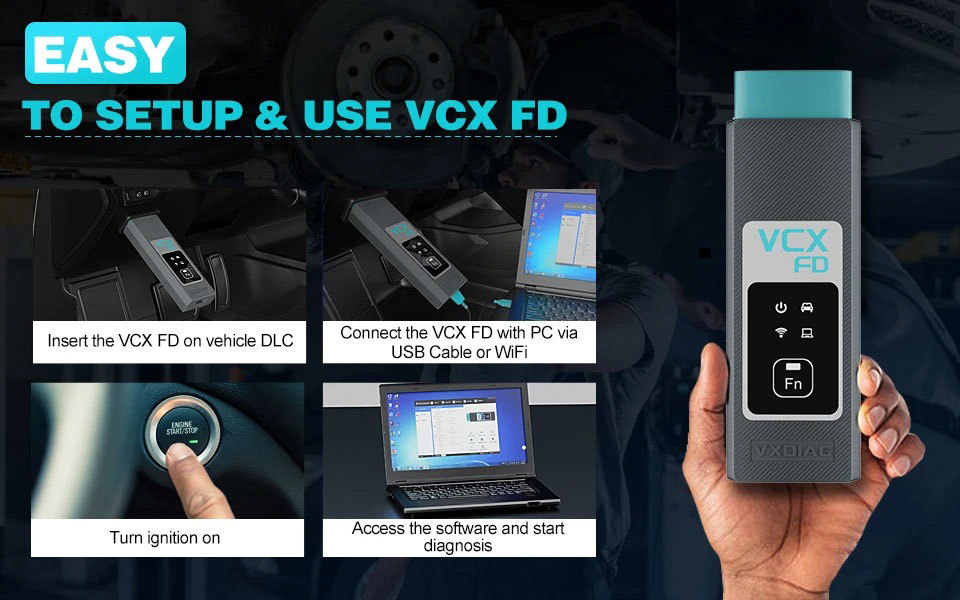
How to Set Up & Use VXDIAG VCX-FD?
Let’s start the software installation on WINDOWS system:
1. First download and install software (we don't provide the link)
2. Install the latest VX MANAGER version via www.vxdiag.net
4. Start the VX Manager. Make sure you your computer network is good. Connect your device by USB cable/WiFi to computer and OBD2 Socket to your ECU Bench connector or Your car’s OBD2 Port.
Install Passthru driver. Check your device license.
5. Turn on the car ignition. You can start to diagnose the car.
Installation Tips: Please turn off anti-virus software before install.
Package Includes:
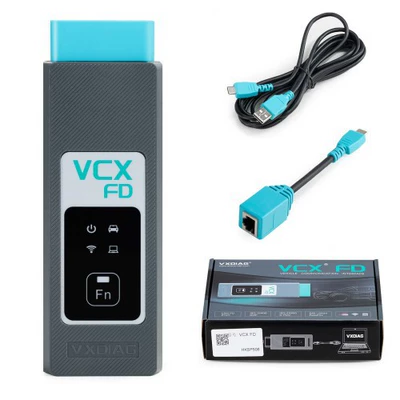
1pc x VCX-FD device
1pc x USB cable
1pc x RJ45 Ethernet adapter
产品中文介绍(英译中-谷歌翻译)
VXDIAG VCX-FD VCX FD 通用汽车智能车辆诊断接口,适用于通用汽车雪佛兰/别克/凯迪拉克/欧宝/霍顿诊断工具
ID NO.: CTP335
产品描述
- 支持GM Tech2Win和GDS2,可以替代GM原装工具MDI/Tech2。
- 支持2000年至2024年的GM车辆。
- 支持通过在线帐户进行GM在线编程(ECU编程,ECU性能升级)。
VXDIAG VCX-FD 通用汽车智能车辆诊断接口,适用于雪佛兰、别克、凯迪拉克、欧宝、霍顿诊断工具
VCX-FD智能车辆诊断接口代表了下一代诊断技术。该产品采用全新升级的双核高速处理器,完全支持多通道CAN-FD/DoIP和传统诊断协议,并兼容更多原厂诊断软件。VCX-FD还支持本地和超远程双模式诊断,为用户提供了卓越的诊断体验。
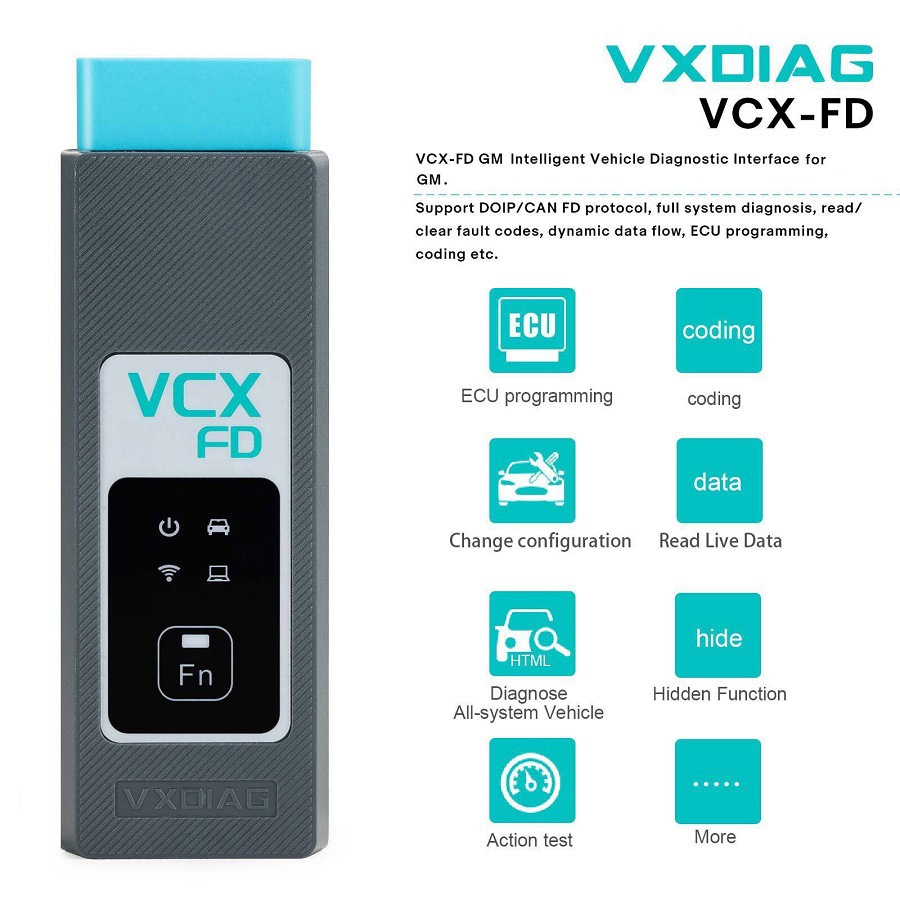
产品功能:
支持的原厂车辆诊断功能:
通用汽车(雪佛兰,别克,凯迪拉克,欧宝,霍顿):GM GDS2 & Tech2Win & RDS
如何安装VXDIAG GM GDS2和Tech2win?
1. 使用 AutoInstall.exe 文件安装Tech2win
2. 使用 AutoInstall.exe 文件安装GDS2
3. 安装VX Manager(安装passthru和GDS2/T2W驱动程序)
4. 运行软件(从补丁运行GDS2,在桌面上运行Tech2win)
* 如果您运行的是Windows 10,您必须禁用驱动程序签名强制执行。有关详细的安装说明,请参阅上面的PDF。
VXDIAG VCX-FD GM 突出特点:
1. 支持 GM Tech2Win 和 GDS2,可以替换 GM 原装工具 MDI/Tech2。
2. 兼容用于诊断发动机、变速器、ABS、仪表盘等的应用程序
3. 混合车队能力,支持广泛的协议
4. 快速访问车辆数据,用于维护或管理报告
5. 快速连接到车辆的诊断接口
6. 支持 2000 年至 2024 年的 GM 车辆 2024
7. 通过在线账户支持 GM 在线编程(ECU 编程,ECU 性能升级)
产品特点:
双核处理器协同工作,实现更强的通信性能
550MHz ARM协议处理器支持CAN-FD和所有传统车辆总线协议。
560MHz MIPS网络处理器支持DoIP超级诊断网关。
双核处理器通过100M以太网通信,带宽高,延迟低
诊断通信速度是前代产品的几倍。
双操作系统,软件运行更稳定
RTOS实时操作系统确保车辆总线协议的多任务和高并发通信。
OpenWrt网络操作系统灵活连接多个网络接口和车辆。
支持更完整的车辆总线协议
集成式OBD智能协议多路复用器芯片,所有引脚可智能切换任何协议。
支持3通道CAN-FD多通道并发通信,支持高达5M Bps的高速通信。
支持ISO-13400标准双通道DoIP接口选项1和选项2。
灵活且易于使用的连接方式
主机通信接口支持多种连接,如USB / RJ45 / WLAN,灵活且易于使用。
内置无线路由模式,诊断计算机可以无线方式直接连接到设备。
支持无线工作站模式,设备可以连接到无线局域网,任何计算机都可以连接到设备。
支持将车辆的DoIP以太网映射到WLAN,用于无线DoIP诊断。
全新外观设计
它采用了一体化设计,集成了OBD-II接口,使插拔更加方便。
加固的Type-C接口防止晃动和掉落,使连接更加可靠。
更全面的原车诊断
VCX-FD目前兼容15种原厂诊断型号。
硬件更新后,它完全支持基于CAN-FD和DoIP的新车型和新的原厂诊断软件。
各种先进的诊断和编程功能达到工厂水平,甚至比原设备更快。
支持一键安装、卸载和升级原厂支持的驱动程序,易于使用。
更新的国际标准API接口
SAE-J2534-1/2 通过 V04.04 & V05.00
ISO-22900 D-PDU API 用于 MVCI
RP-1210A/B/C API for VDA
全平台API接口可用(Windows / Linux / Android)
J2534原厂ECU编程功能
ECU 软件升级和校准。
ECU更换、更新和编程。
J2534 可控可编程电压输出。
双模式智能远程诊断
超级远程诊断只需将设备连接到互联网即可实现原厂在线诊断。
兼容远程诊断,可以支持具有特殊功能的各种设备的远程诊断。
设备支持一键网络分发功能和快速访问远程诊断平台。
如何设置和使用VXDIAG VCX-FD?
让我们开始在WINDOWS系统上安装软件:
1. 首先下载并安装软件(我们不提供链接)
2. 通过www.vxdiag.net安装最新版本的VX MANAGER
4. 启动VX Manager。确保您的计算机网络良好。通过USB线/WiFi将设备连接到计算机和OBD2插座连接到您的ECU测试连接器或汽车的OBD2端口。
安装Passthru驱动程序。检查您的设备许可证。
5. 打开车的点火开关。您可以开始诊断汽车。
安装提示:请在安装前关闭防病毒软件。

包含内容:
1个VCX-FD设备
1个 x USB 电缆
1个 x RJ45 以太网适配器


